Meridian RCM — Claims Processing Dashboard

Context
Most AI-generated dashboard demos default to something generic — a sales pipeline, a project tracker. This one instead models a full claim lifecycle for a fictional RCM company, Meridian RCM, drawing on operational experience managing claims, denials, and payment workflows from The SSI Group. The goal wasn't to see what AI tooling could generate on its own, but to see what it could do when directed by someone who already knew what a real RCM workflow needed to do — submission through payment, with particular attention to where denial management actually gets messy.
The process was deliberately iterative: design assets, front-end code, and detailed functional requirements went in at each stage. The AI was the execution layer; every decision about what to build and how it should behave came from outside the tool.
Process
The first pass established the core dashboard: KPI cards for accounts receivable, total collected, and denial rate, plus a clickable pipeline tracking each claim through six stages:
- Submitted
- In Review
- Pending Info
- Approved
- Denied
- Paid
The second pass went deeper into denial management, the part of the RCM workflow with the most operational friction. Clicking a claim opens a detail drawer; denied claims surface their appeal due date and status-specific next actions. Denials themselves move through a dedicated kanban board:
- Triage
- Gathering
- Drafting
- Submitted
- Resolved
Four more sections — Claims, Payments, Patients, and Reports — were built with functional depth rather than as static placeholders, each following patterns adapted from how those workflows actually behave in production RCM software.
Weyland-Yutani Vision Design System
Context
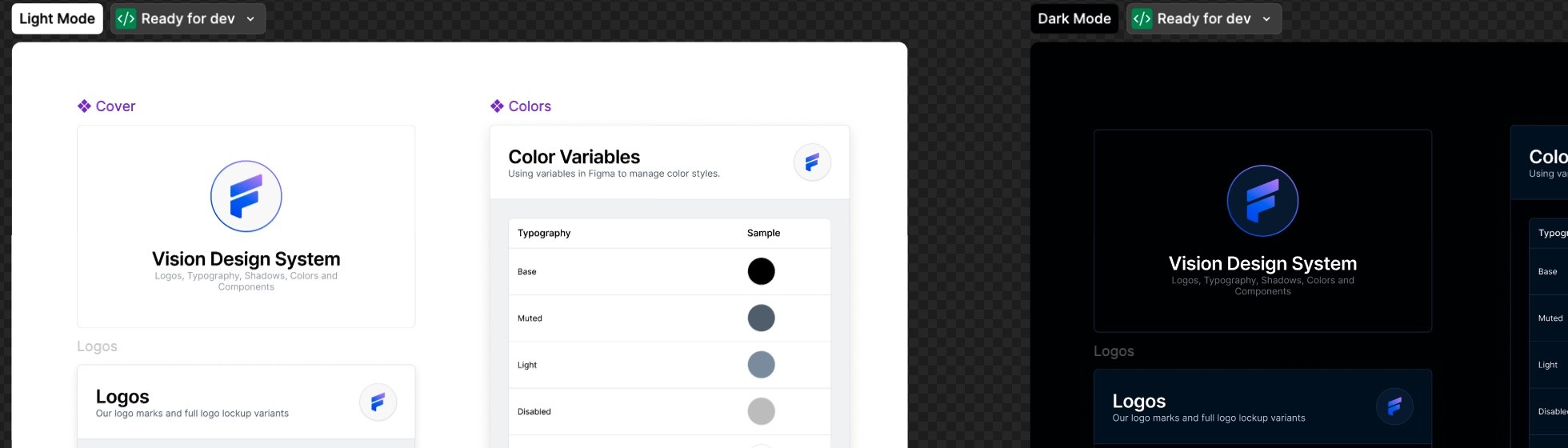
The Vision Design System is Flywheel's corporate component library — the token layer, component set, and application patterns that span the product suite. As part of the work at Flywheel, contributing to and managing Vision meant deep familiarity with how the system was structured: its token architecture, component API conventions, and the application-level decisions that made it function coherently across a data-dense research platform.
Because the production system is proprietary, the challenge was producing a shareable artifact that could demonstrate the actual depth of that work. The approach: use AI tooling to translate the Figma design system into a fully functional HTML/JS/CSS implementation — a live, self-contained demo that preserves the complete token architecture, component library, and application-level integration of the real system under a fictional rebrand.
The fictional company is Weyland-Yutani. The design system is still Vision.
Process
This was a Figma-to-code translation exercise directed by design systems expertise. The inputs were the Figma component library, token definitions, and application mockups from the real Vision system. The AI handled the implementation; the direction covered every consequential decision: which tokens warranted semantic aliases and which didn't, how the sidebar color system should be isolated from the light-mode token layer, what "softening to feel less clinical" meant in specific type and radius values, and how components should behave at the application level rather than in isolation.
The result is a running React application with a 32-component library, a complete token system across color, typography, spacing, shadow, motion, and layout, and three working application screens — Projects, Sessions, and Jobs — populated with realistic neuroimaging research data.
The work is available as two complementary artifacts — the design library in isolation, and the system as it appears in a running product:
- Mother Design System — the component library and token documentation: foundations, color ramps, typography, spacing, motion, and the full component set. The system on its own terms.
- Vision Product Demo — the system applied to a working neuroimaging data management application: a Projects dashboard, Sessions view, and Jobs log, all built entirely with Mother components and tokens.